Back to blogs
Loading article…
Blog
Longer posts — published here first, then cross-posted to Dev.to with a canonical URL back to this site.
Back to blogs
Back to blogs
Postlinux, betty, gcc, wsl
Configuring for c/c++ if you haven't set up wsl enviroment check this out first download...
Date published

This comprehensive guide will walk you through installing and configuring Android Studio on Linux...

Why You Might Still Pick Next.js Over TanStack Start From a TanStack Start...

A complete theme management system for React applications with SSR support! ✨ 🌟...
if you haven't set up wsl enviroment check this out first
download gcc compiler and betty linter for c/c++ development Type the following one by one
1sudo apt install build-essential
1sudo apt update
1sudo apt-get install manpages-dev
Then to check if installed type
<code>gcc --version</code><br>
For the betty linter: Go to the betty repo:
And clone the repo<br>
<code>cd Betty</code><br>
<code>sudo ./install.sh</code>
Create a file called betty and paste in
1#!/bin/bash2# Simply a wrapper script to keep you from having to use betty-style3# and betty-doc separately on every item.4# Originally by Tim Britton (@wintermanc3r), multiargument added by5# Larry Madeo (@hillmonkey)67BIN_PATH="/usr/local/bin"8BETTY_STYLE="betty-style"9BETTY_DOC="betty-doc"1011if [ "$#" = "0" ]; then12 echo "No arguments passed."13 exit 114fi1516for argument in "$@" ; do17 echo -e "\n========== $argument =========="18 ${BIN_PATH}/${BETTY_STYLE} "$argument"19 ${BIN_PATH}/${BETTY_DOC} "$argument"20done
Once saved, exit file and change permissions to apply to all users with chmod a+x betty Move the betty file into <code>/bin/ directory </code> or somewhere else in your $PATH with
1sudo mv betty /bin/
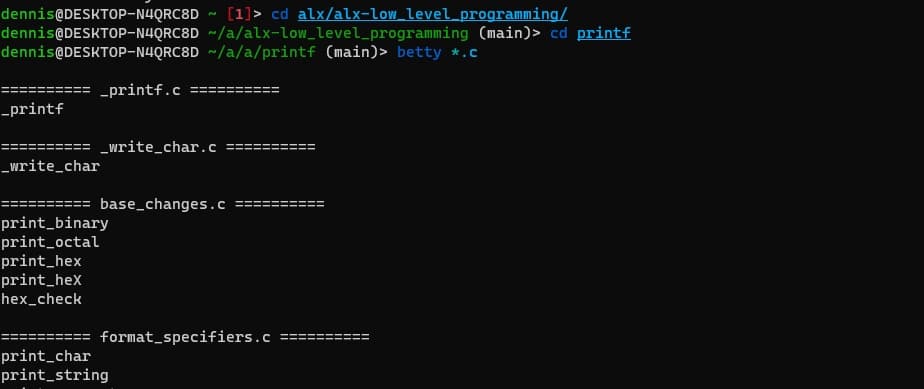
You can now type <code> betty "filename" </code> to run the Betty linter! and now you can compile and run linux c code on your windows machine