Back to blogs
Loading article…
Blog
Longer posts — published here first, then cross-posted to Dev.to with a canonical URL back to this site.
Back to blogs
Back to blogs
Postfirebaseemulator, firebase, firebasecli, localdevelopment
Firebase is cool and all but you'll run through your free allowance fast if you choose to develop...
Date published

Why You Might Still Pick Next.js Over TanStack Start From a TanStack Start...

A complete theme management system for React applications with SSR support! ✨ 🌟...
A guide to creating Android home screen widgets using Expo modules, complete with state management,...
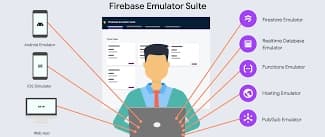
Firebase is cool and all but you'll run through your free allowance fast if you choose to develop while teasting on the live servers, because it's one accidental infinite loop away from making one too many requests. That's why they developed firebase emulator a local testing tool which simulates firestore,authentication ,functions, storage and hosting with more features in the works .
for the detailed insatllation process installation procedure
for the quic setup guide run
1npm install -g firebase-tools
to install the firebase cli then login by running
1firebase login
then check the firebase version
1firebase --version
in your projects root directory , start configuring by running
1firebase init
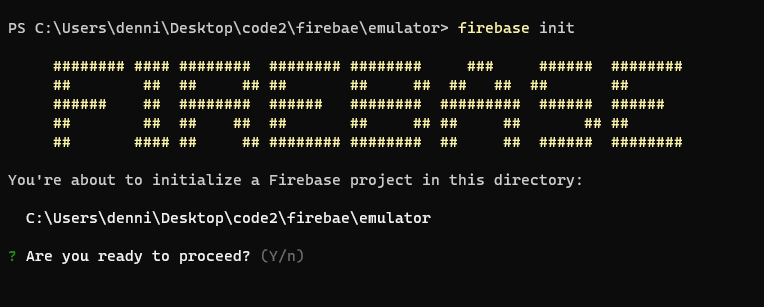
In our case we need firestore ,functions and emulators , space bar to select then enter to confirm
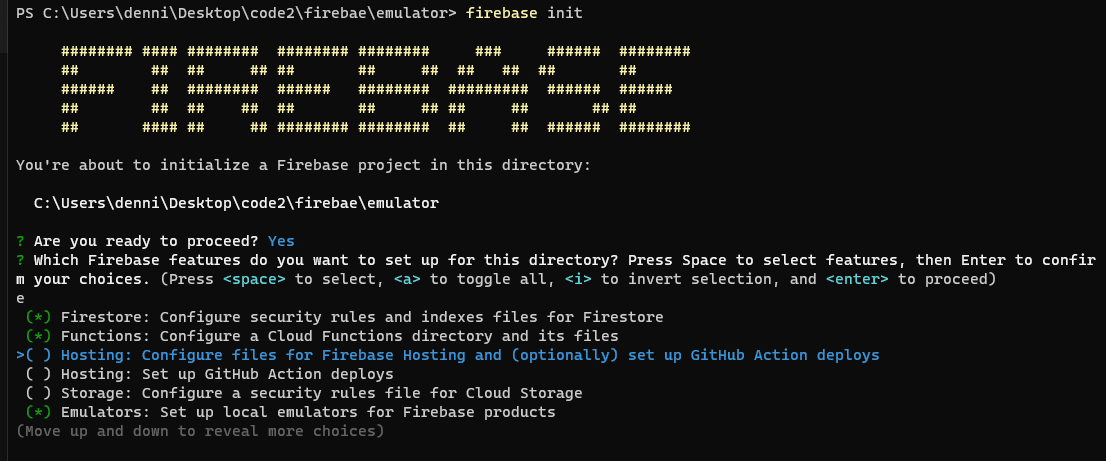
at this point you'll need to connect your existing firebase project or create one if you don't have one
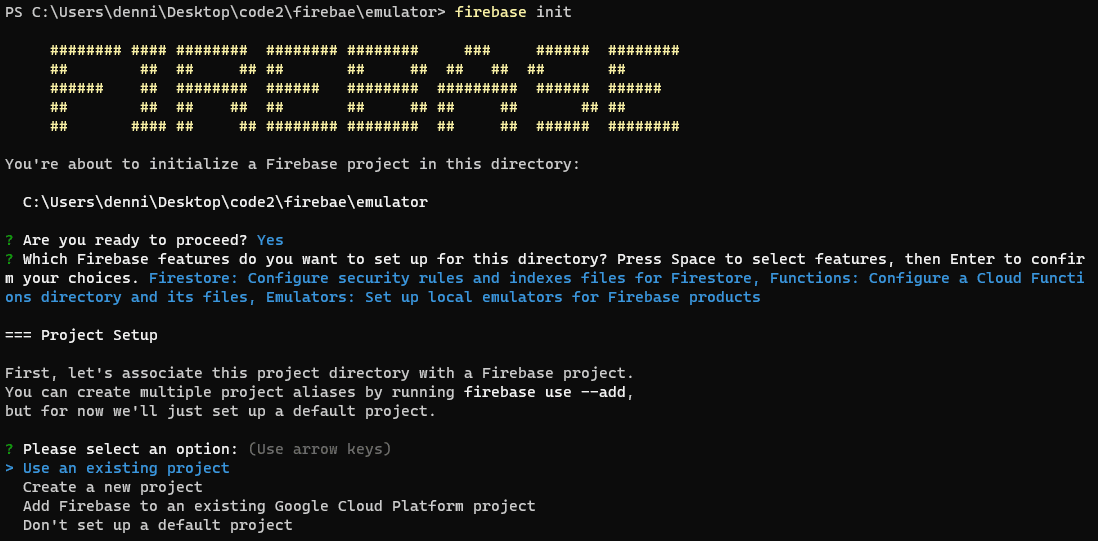
now let's set up firebase , accept the defaults
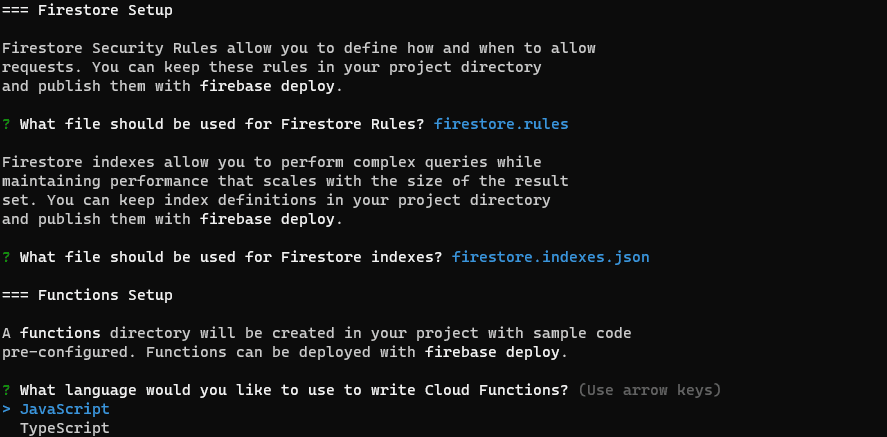
select javascript for functions and accept the defaults too and select the firestore,functions and authentication emulators
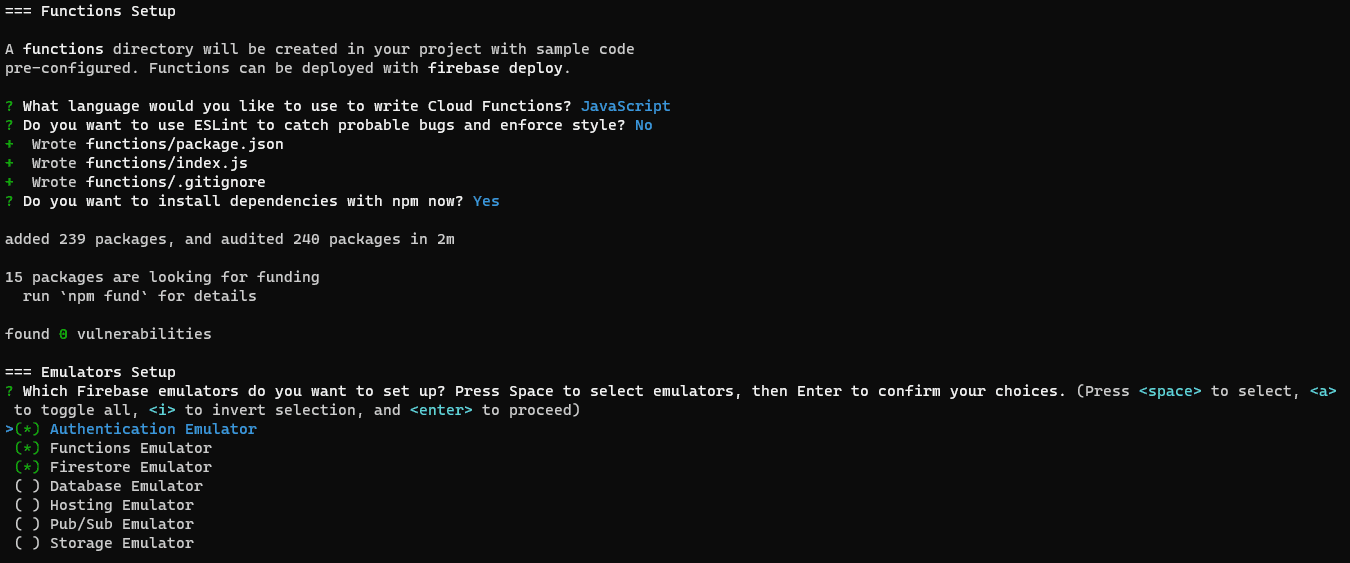
then select localhost ports for the services ,the defaults willbe good too . also select to enable the emulator UI

then allow download of the emulators and finally strt up te emulators
1firebase emulators:start2
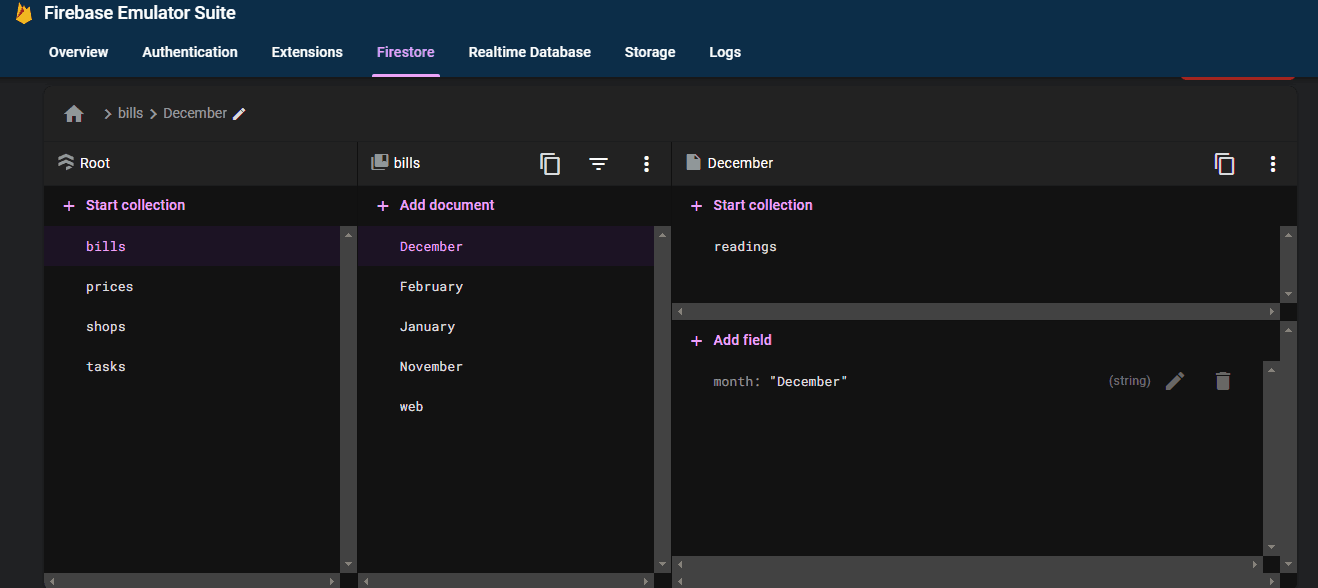
firestore also lets you import production data for firestore when you start the emulators for that you'll need:
the run
1gcloud projects list
then select your project of choice project id
1gcloud config set project production-c33c5
then export the data by running
1gcloud firestore export gs://"your project id here".appspot.com/save
then copy these files to your local device current directory
1 gsutil -m cp -r gs://production-c33c5.appspot.com/save .
to launch the emulator with the data run
1firebase emulators:start --import ./save
you can save any changes you make by before closing the session
first run
1firebase emulators:export ./save
to connect your app to the emulator import
1import { connectAuthEmulator } from "firebase/auth";2import {connectFirestoreEmulator} from "firebase/firestore"3import { connectFunctionsEmulator } from "firebase/functions";
add these to the firebaseConfig.ts at the bottom
1connectFirestoreEmulator(db, 'localhost', 8080);2connectAuthEmulator(auth, "http://localhost:9099");3connectFunctionsEmulator(functions, "localhost", 5001);
another nice tip is how to run it on your lan network , which is helpfull if you're testing on multiple devices on the > same network.
1ipconfig
and grab the ipv4 value

in the firebase.json file , change the configuration and add the host value as the ipv4 address we git from ipv4
1 "emulators": {2 "firestore": {3 "port": 8080,4 "host":"192.168.43.238"56 },7 "hosting": {8 "port": 50009 },10 "ui": {11 "enabled": true12 },13 "auth": {14 "port": 909915 }16 }
and also in the firebaseConfig , change the connectFirebaseEmulator to:
1connectFirestoreEmulator(db, '192.168.0.109', 8080);
or for auth
1connectAuthEmulator(auth, "http://192.168.43.238:9099");
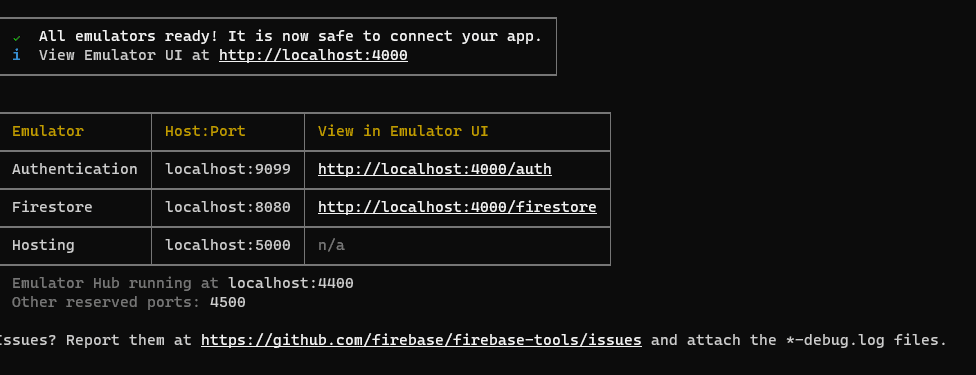
last thing to watch out for is port conflict , you can change the port if it's already taken or run
1npx kill-port "port-number"
Happy coding