Back to blogs
Loading article…
Blog
Longer posts — published here first, then cross-posted to Dev.to with a canonical URL back to this site.
Back to blogs
Back to blogs
Postgraphql, webdev, typeorm, javascript
I recently saw a job opening where they wanted a Nodejs ,TypeORM and GraphQL developer So I decided...
Date published

Why You Might Still Pick Next.js Over TanStack Start From a TanStack Start...

A complete theme management system for React applications with SSR support! ✨ 🌟...
A guide to creating Android home screen widgets using Expo modules, complete with state management,...
I recently saw a job opening where they wanted a Nodejs ,TypeORM and GraphQL developer So I decided now would be a good time to brush up on those skills
Throw back to 3 years a go when Ben Awad was the predominant react influencer on YouTube when he dropped this absolute banger of an intermediate full-stack tutorial
But before starting with that I went back to do a Postgres refresher and tried out a freecodecamp video
In the video they ha a sample movies database which I decided to build an app around as practice and expose a GraphQL API of it
Checkout sample database setup part
Before we do anything , we'll walk over how we'll use TypeORM with GraphQL
The idea will be to
GraphQl server with express and apollo-server-expresstype-graphql to define the GraphQ schema and resolvers for maximum type safety1import { Entity, PrimaryGeneratedColumn, Column } from "typeorm"2import { ObjectType, Field, Int, InputType } from 'type-graphql'3import { registerEnumType } from "type-graphql";456enum FilmRatings{7PG13 = "PG-13",8 NC17 = "NC-17",9 R = "R",10 G = "G",11 PG = "PG"12}131415registerEnumType(FilmRatings, {16 name: "rating", // Mandatory17 description: "The film rating", // Optional18});1920@ObjectType()21@InputType()22@Entity()23export class Film {24 @Field(() => Int)25 @PrimaryGeneratedColumn()26 film_id: number;2728 @Field(()=>String)29 @Column({ type: "text" })30 title: string;3132 @Field(() => Int)33 @Column({ type: "integer" })34 release_year: number;3536 @Field(() => Int)37 @Column({ type: "smallint" })38 language_id: number;3940 @Field(() => Int)41 @Column({ type: "smallint" })42 rental_duration: number;4344 @Field(() => Int)45 @Column({ type: "numeric" })46 rental_rate: number;4748 @Field(() => Int)49 @Column({ type: "smallint" })50 length: number;5152 @Field(() => Int)53 @Column({ type: "numeric" })54 replacement_cost: number;5556 @Field(()=>FilmRatings)57 @Column({ type: "enum",enumName: "rating" })58 rating: FilmRatings5960 @Field(() => String)61 @Column({ type: "timestamp without time zone" })62 last_update: Date;6364 @Field(() => [String])65 @Column({ type: "text", array: true })66 special_features: string[];6768 @Field(()=>String)69 @Column({ type: "text" })70 fulltext: string;7172}7374
When you already have an existing database you can use the TypeORM option synchronize: false,
1import { DataSource } from "typeorm"23export const AppDataSource = new DataSource({4 type: "postgres",5 host: "localhost",6 port: 5432,7 username: "postgres",8 password: "postgres",9 database: "dvdrental",10 synchronize: false,11 migrations: ["src/migrations"],12 entities:["src/entities/*.entity.ts"],13})
The issue I immediately ran into was how to use the column types database already as to generate TypeORM schemas manually There a was a Postgres query to return a table's column types
1 SELECT table_name,2 (SELECT string_agg(column_name, ', ')3 FROM information_schema.columns4 WHERE table_schema = t.table_schema5 AND table_name = t.table_name) AS columns,6 (SELECT string_agg(data_type, ', ')7 FROM information_schema.columns8 WHERE table_schema = t.table_schema9 AND table_name = t.table_name) AS column_types10 FROM information_schema.tables t11 WHERE table_schema = 'public'
But it wasn't very clear on Enum types and other types like that for example the film table had rating column that was an Enum type
You could get the Enum values using a distinct select
1SELECT DISTINCT rating FROM film
But this didn't feel scalable so I built a simple Postgres GUI as a challenge to view the columns and their types and feed that info into an LLM to get a schema.
Postbase , Am bad at naming things but in It's basics
When loaded up the /pg route , This snippet will run and fetch all the databases running on your Postgres server
1 const query = useSSQ(async (ctx) => {2 try {3 const config = safeDestr<DbAuthProps>(ctx.cookie?.pg_cookie);4 if (!config) {5 return { result: null, error: "no config" };6 }7 const sql = postgresInstance(config);8 if (!sql) {9 return { result: null, error: "no config" };10 }1112 if (config.local_or_remote === "remote") {13 return {14 result: { redirect: `/pg/${sql.options.database}` },15 error: null,16 };17 }18 const database = (await sql`SELECT datname FROM pg_database`) as any as [19 { datname: string },20 ];21 const users = (await sql`SELECT * FROM pg_catalog.pg_user`) as any as [22 { usename: string },23 ];2425 return { result: { database, users }, error: null };26 } catch (error: any) {27 console.log(" === error == ", error.message);28 return { result: null, error };29 }30 });31
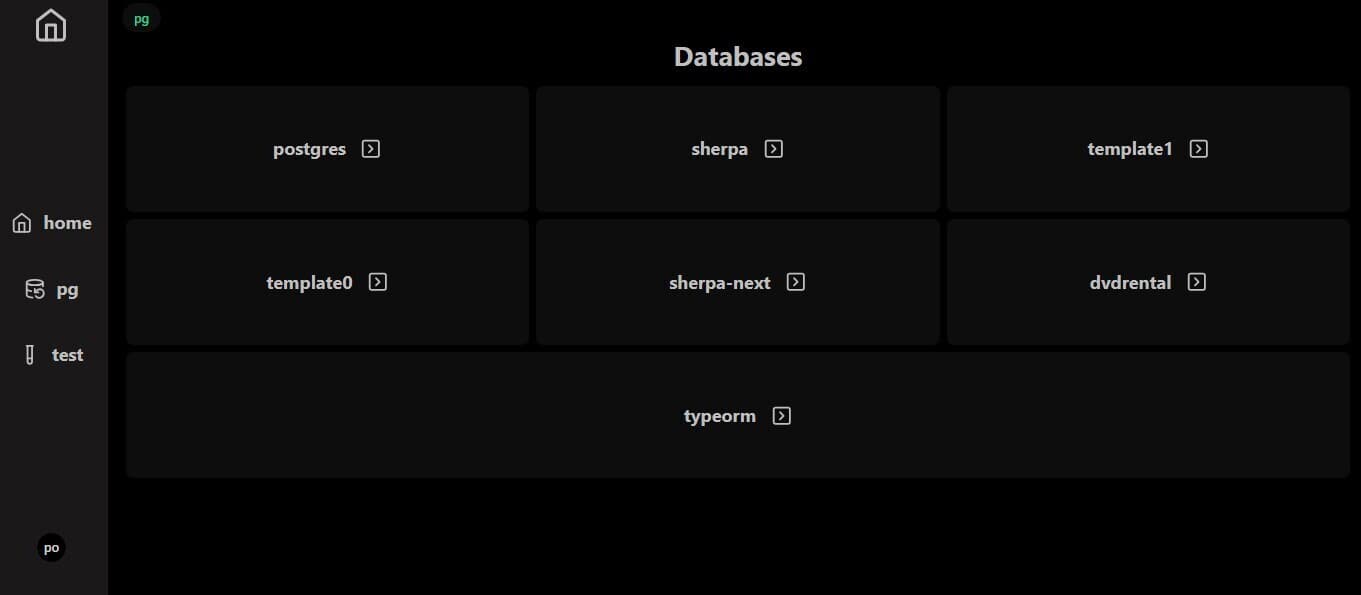
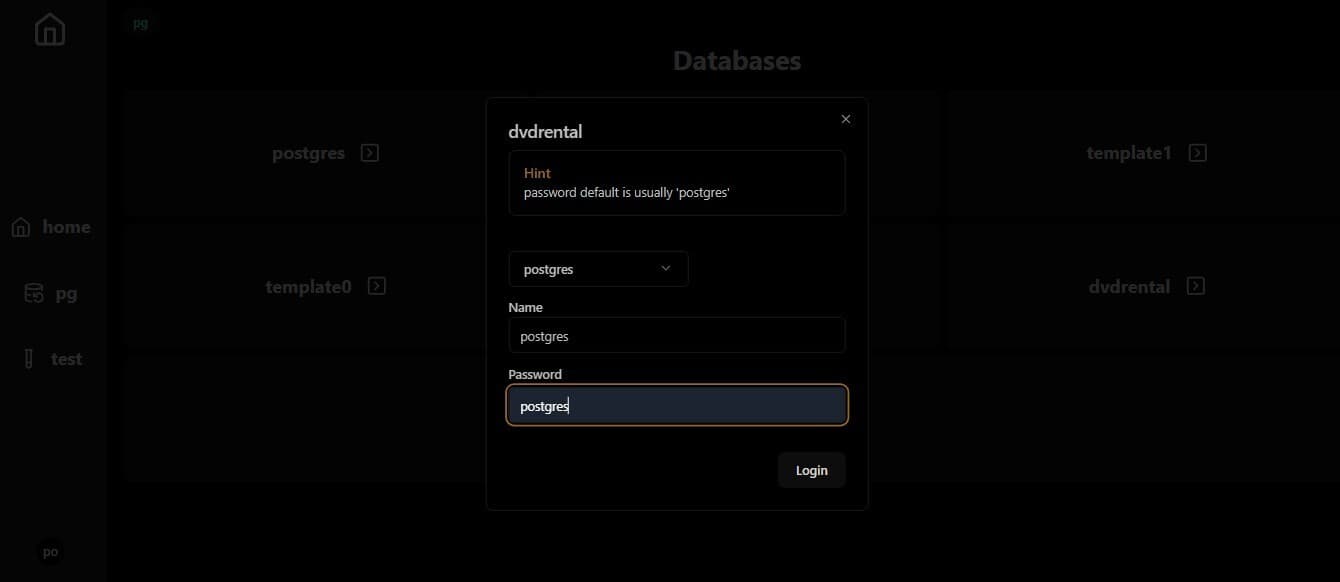
Clicking on one database will prompt you for it's credentials
1 const query = useSSQ(async (ctx) => {2 // console.log("This is a one database ", db_name);3 try {4 const config = safeDestr<DbAuthProps>(ctx.cookie?.pg_cookie);5 if (!config || !config?.local_or_remote) {6 return { rows: null, error: "no config" };7 }8 const sql = postgresInstance(config);9 if (!sql) {10 return { rows: null, error: "no config" };11 }12 const tables = (await sql`13 SELECT table_name,14 (SELECT string_agg(column_name, ', ')15 FROM information_schema.columns16 WHERE table_schema = t.table_schema17 AND table_name = t.table_name) AS columns,18 (SELECT string_agg(data_type, ', ')19 FROM information_schema.columns20 WHERE table_schema = t.table_schema21 AND table_name = t.table_name) AS column_types22 FROM information_schema.tables t23 WHERE table_schema = 'public';2425 `) as any as [26 {27 table_name: string;28 columns: string;29 column_types: string;30 },31 ];32 // console.log(" === tables == ", tables[0]);33 return { tables, error: null };34 } catch (error: any) {35 console.log(" === error == ", error.message);36 return { tables: null, error: error.message };37 }38 },{key:db_name});39
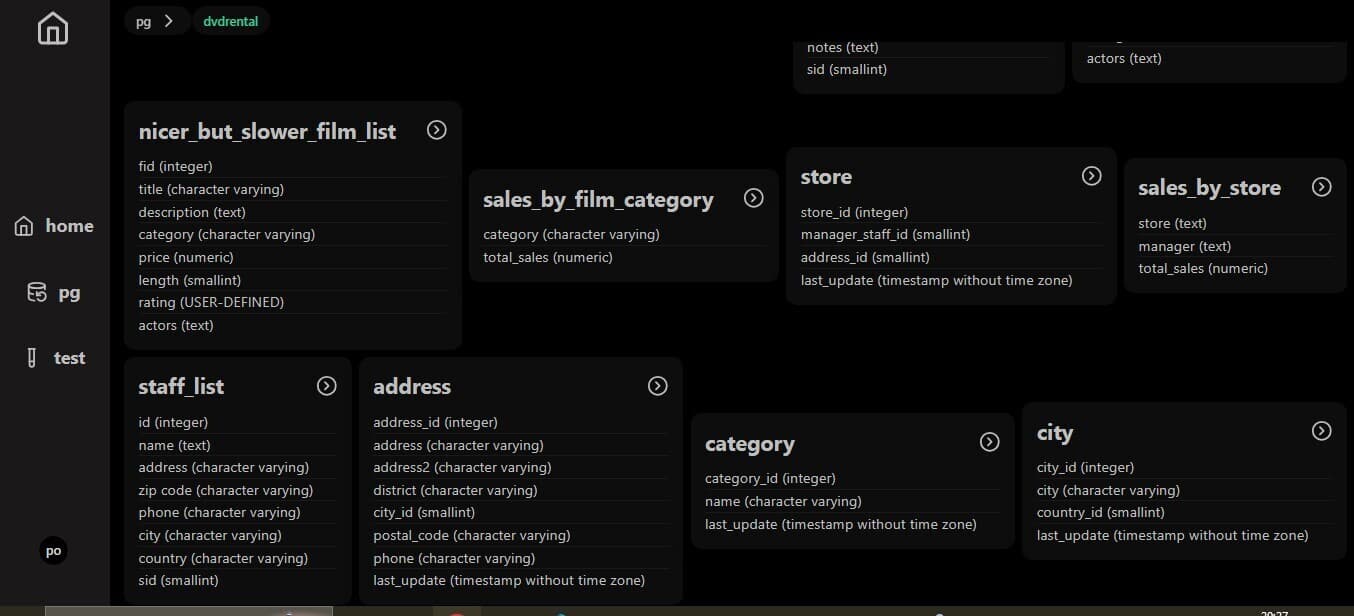
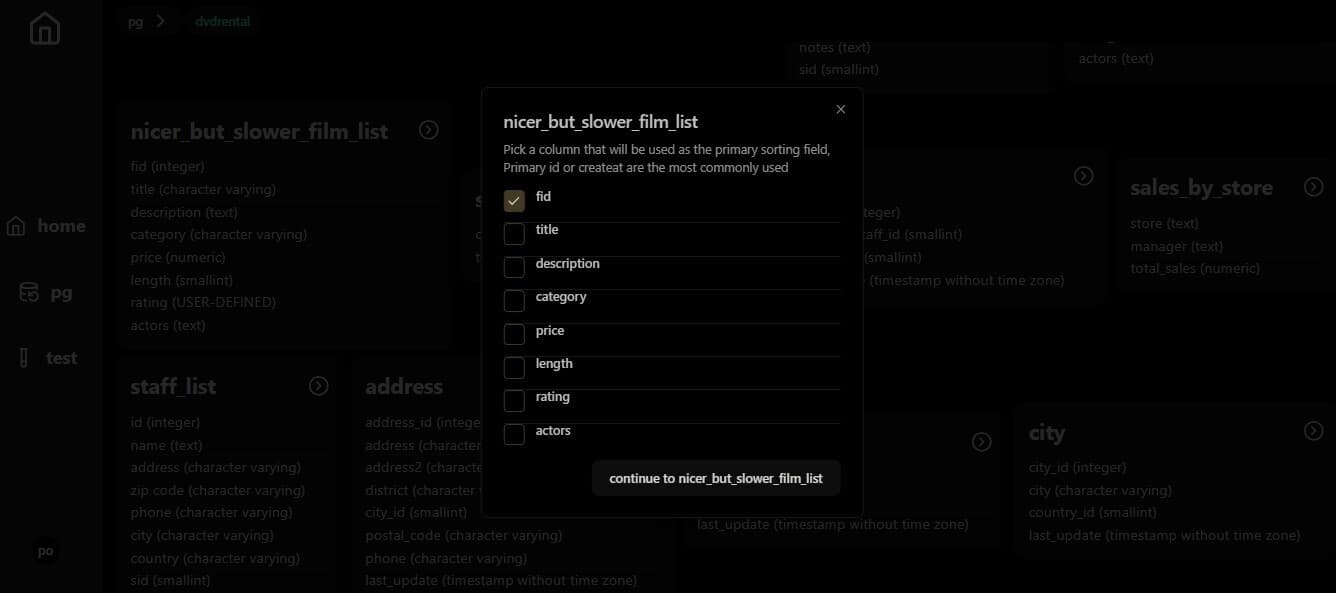
Clicking on one table will prompt you to pick one of the rows as the primary key for sorting
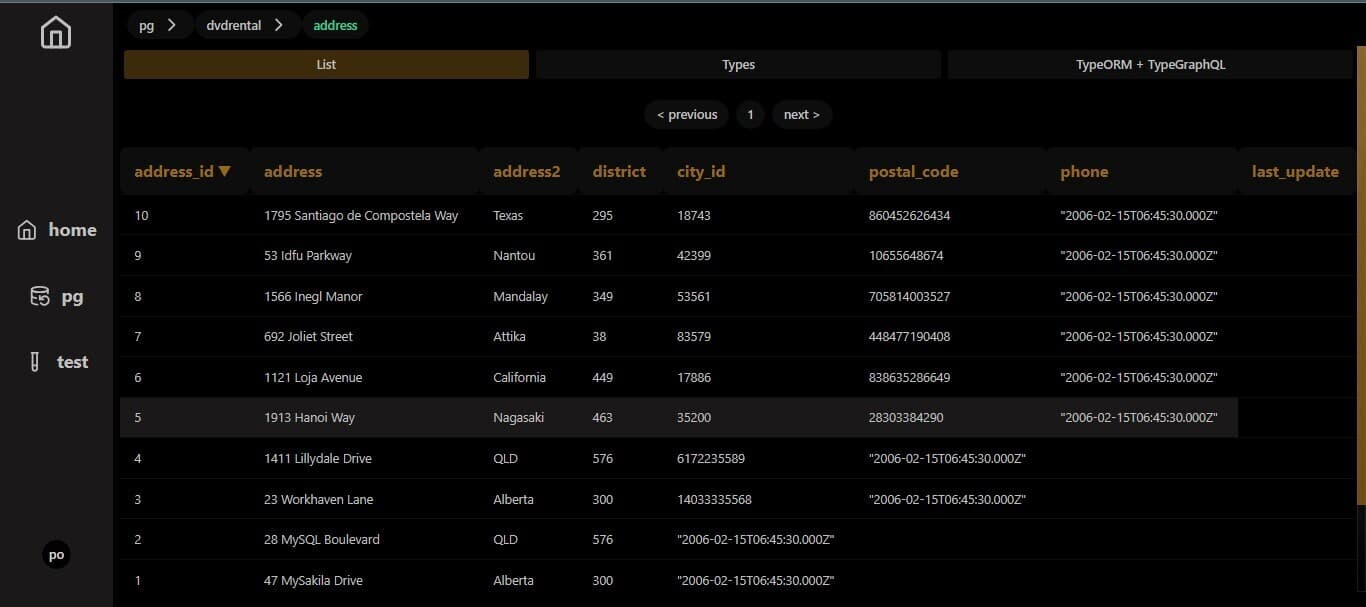
The table view consists of 3 tabs
list We select 10 first rows in this table and will get the next 10 using pagination
1 const query = useSSQ(2 async (ctx) => {3 try {4 const offset = (table_page - 1) * 10;5 const config = safeDestr<DbAuthProps>(ctx.cookie?.pg_cookie);6 if (!config || !config?.local_or_remote) {7 return { rows: null, error: "no config" };8 }9 const sql = postgresInstance(config);10 if (!sql) {11 return { rows: null, error: "no config" };12 }13 const rows = (await sql`14 SELECT * from ${sql(db_table)}15 ORDER BY ${sql(db_primary_column)}16 OFFSET ${offset}17 LIMIT 10`) as any as [{ [key: string]: any }];1819 return { rows, error: null };20 } catch (error: any) {21 console.log(22 " === useSSQ OneTableRowsOffsetPages error == ",23 error.message,24 );25 return { rows: null, error: error.message };26 }27 },28 { key: `${db_name}/${db_table}` },29 );
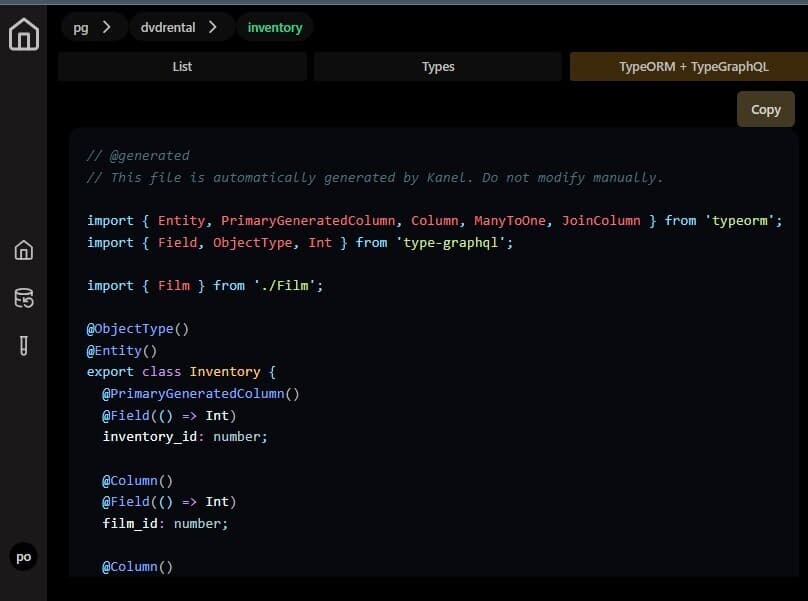
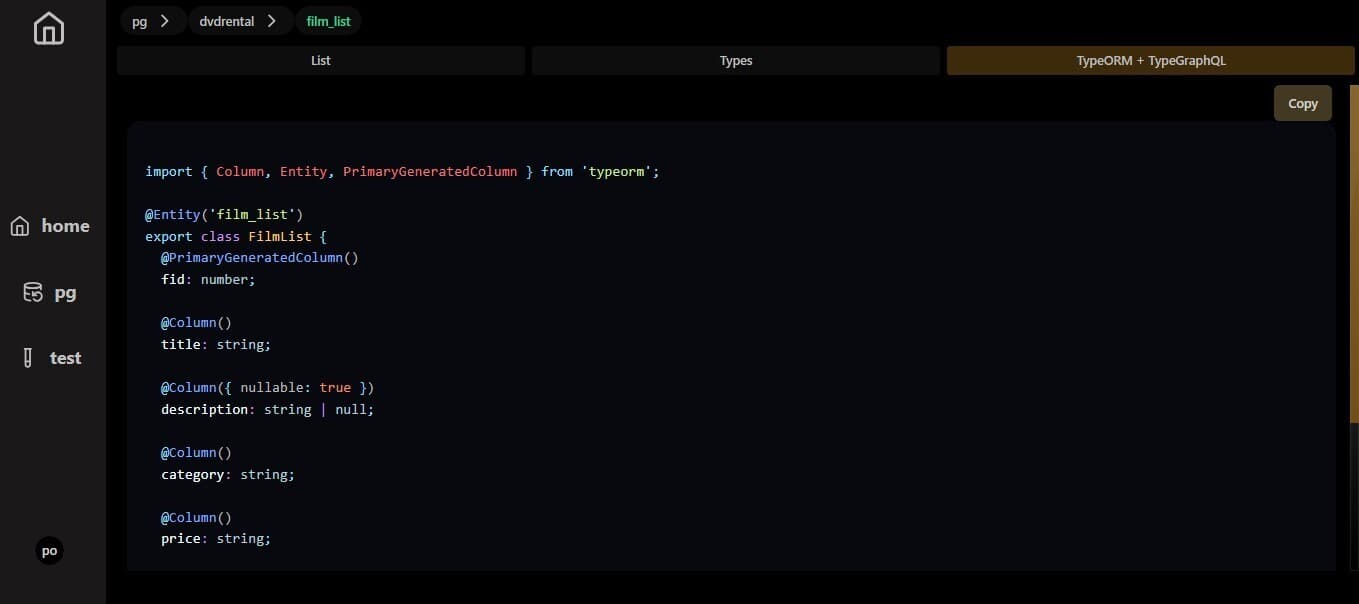
TypeORM + TypeGraphQl class
This part is powered by Gemini AI to generate TypeORM and TypeGraphQl classes from our generated typescript interfaces
Some notable utilities i used include
1import fs from "fs";2import fsp from "fs/promises";3import path from "path";456export async function getTextFromFileWithImports(7 filePath: string,8 currentText: string,9 dbName: string,10) {11 try {12 let count = 0;13 // console.log("===== file path ======",filePath);14 const fileContent = await fsp.readFile(filePath, "utf8");15 // console.log("===== file content ======",fileContent);16 const importRegex = /import.*?from ['"](.+?)['"];/g;17 let match;18 let updatedText = currentText;19 if (count === 0) {20 updatedText += fileContent;21 }2223 while ((match = importRegex.exec(fileContent)) !== null) {24 count += 1;25 const importedFilePath = match[1];26 const absoluteImportedPath = path.resolve(filePath);27 // console.log("===== absolute path ======",absoluteImportedPath);28 const importedFileContent = fs.readFileSync(absoluteImportedPath, "utf8");29 updatedText += "\n" + importedFileContent;30 const next_file_path =31 path.resolve("pg/" +dbName+"/public", importedFilePath) + ".ts";32 // console.log(" ====== next file path ======",next_file_path);33 updatedText =34 (await getTextFromFileWithImports(next_file_path, updatedText, dbName)) ?? ""; // Make the process recursive35 }36 // console.log("===== count ======",count);37 return updatedText;38 } catch (error) {39 console.log("====== error in readTextFromFileWithImport === ", error);40 return;41 }42}
12export function trimOutCodeBlock(input: string) {3 const codeBlockStart = "
typescript"; const codeBlockEnd = "```"; const startIndex = input.indexOf(codeBlockStart); const endIndex = input.indexOf( codeBlockEnd, startIndex + codeBlockStart.length, ); if (startIndex !== -1 && endIndex !== -1) { return ( input.slice(0, startIndex) + input.slice(endIndex + codeBlockEnd.length) ); } else { return input; } }
123- A helper for Postgresjs to handle local or remote connections config
ts import postgres from "postgres"; import { RequestContext } from "rakkasjs";
export function postgresInstance(options?: DbAuthProps) { if(!options){ return } if (options?.local_or_remote === "local") { return postgres({ host: options.db_host, user: options.db_user, password: options.db_password, database: options.db_name, idle_timeout: 20, max_lifetime: 60 * 30, }); } return postgres(options.connection_url, { idle_timeout: 20, max_lifetime: 60 * 30, }); }
export interface LocalDBAuthProps { local_or_remote: "local"; db_name: string; db_password: string; db_user: string; db_host: string; } export interface RemoteDBAuthProps { local_or_remote: "remote"; connection_url: string; }
export type DbAuthProps = LocalDBAuthProps | RemoteDBAuthProps;
export function setPGCookie(ctx: RequestContext<unknown>, value: string) { ctx?.setCookie("pg_cookie", value, { sameSite: "strict", httpOnly: false, maxAge: 60 * 60 * 24 * 30, path: "/", }); // console.log( " ============= set pg cookie ============ ", ctx.cookie?.pg_cookie); } export function deletePGCookie(ctx: RequestContext<unknown>) { ctx?.deleteCookie("pg_cookie", { path: "/", }); // console.log( " ============= deleted pg cookie ============ ", ctx.cookie?.pg_cookie); }
```
And with that we have a basic PostgresSQL GUI hat generates TypeORM and TypeGraphQl classes for us , I feel like this will come in handy soon 😏 . feel free to play with it and discover new patterns